


Shopify theme development best practices focus on creating themes that remain clean, maintainable, and scalable throughout their lifecycle. Poorly planned builds often result in unstructured Liquid files, excessive snippet nesting, and performance issues that make future updates difficult. These problems are not visual, they are structural, and they affect how easily a theme can be extended, debugged, or handed over.
The objective of a modern Shopify theme is to support both developers and store owners through clear architecture, predictable behavior, and efficient performance. Experienced Shopify website developers approach theme builds with defined workflows, modular planning, and disciplined coding standards to avoid technical debt. This article outlines practical best practices that help teams design, build, and maintain Shopify themes that are stable, adaptable, and ready for long-term growth.
Best Practices to Improve Your Shopify Theme Development Process
A strong workflow sets the foundation long before the first line of code is written. This section focuses on planning, collaboration, and validation, all of which directly impact long-term theme quality.
1. Add Structure to Your Design Process
Structure is the backbone of scalable theme builds. Without it, every new feature feels like reinventing the wheel. A structured approach ensures consistency, reduces rework, and makes collaboration smoother.
Start by defining a clear workflow for how theme changes are planned, built, reviewed, and finalized. This includes establishing conventions for organizing files, handling updates, and validating changes before they move forward. Following documented standards such as best practices for building Shopify themes helps ensure that theme architecture remains predictable, maintainable, and aligned with Shopify’s technical recommendations.
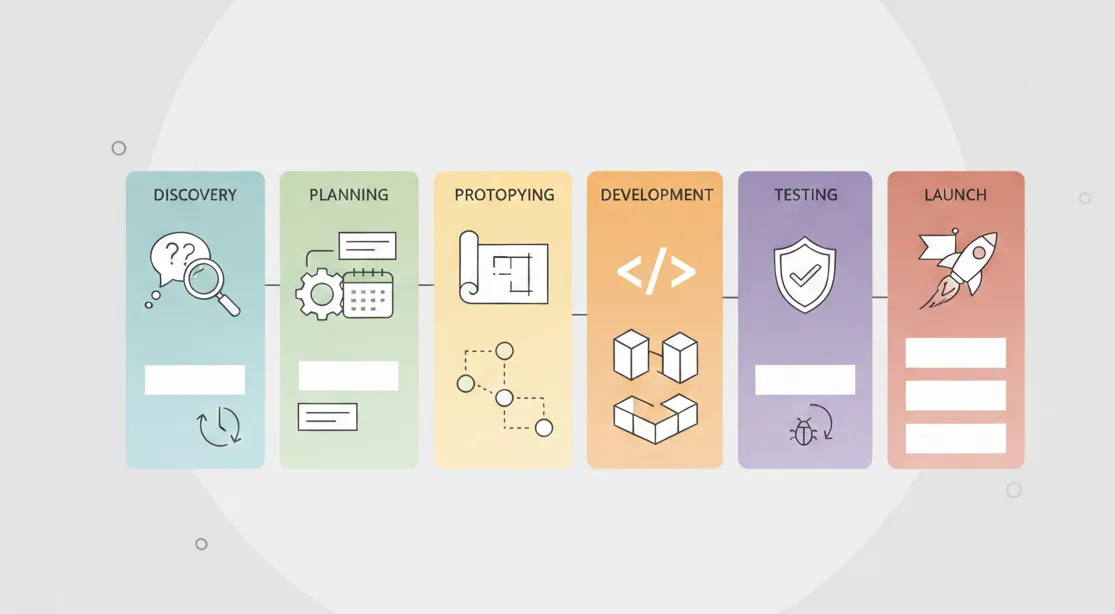
Next, divide the project into defined design phases. Typical phases include discovery, wireframing, prototyping, development, testing, and refinement. Each phase should have clear deliverables and approval checkpoints. This reduces ambiguity and prevents scope creep.
Finally, document tools, shortcuts, and repeatable patterns. A shared internal playbook saves time and ensures everyone follows the same standards. Over time, this structure becomes a competitive advantage, making complex projects easier to manage.
2. Explore the Design Process in Detail
Before any development work begins, it is critical to fully understand the scope and intent of the theme. Skipping this step often leads to duplicated components, inconsistent layouts, and features that are difficult to maintain later.
Start by reviewing all functional and visual requirements in detail. Identify elements that repeat across multiple pages and can be standardized. Look for shared layout patterns that can be reused rather than rebuilt. Consider how each component will behave across devices, how it impacts performance, and whether it meets accessibility expectations.
Breaking the theme into clearly defined modules helps keep complexity under control. Each module should represent a single responsibility, such as a hero section, product grid, navigation block, or form element. Thinking in modules makes it easier to estimate effort, plan development order, and avoid tightly coupled code.
By exploring the design process thoroughly at this stage, teams can make informed decisions, reduce uncertainty, and ensure that the theme architecture supports future changes instead of resisting them.
3. Prototype, Prototype, Prototype
Prototyping is where assumptions are tested and problems are exposed before they become expensive. Jumping straight into development without a prototype almost guarantees surprises near the deadline.
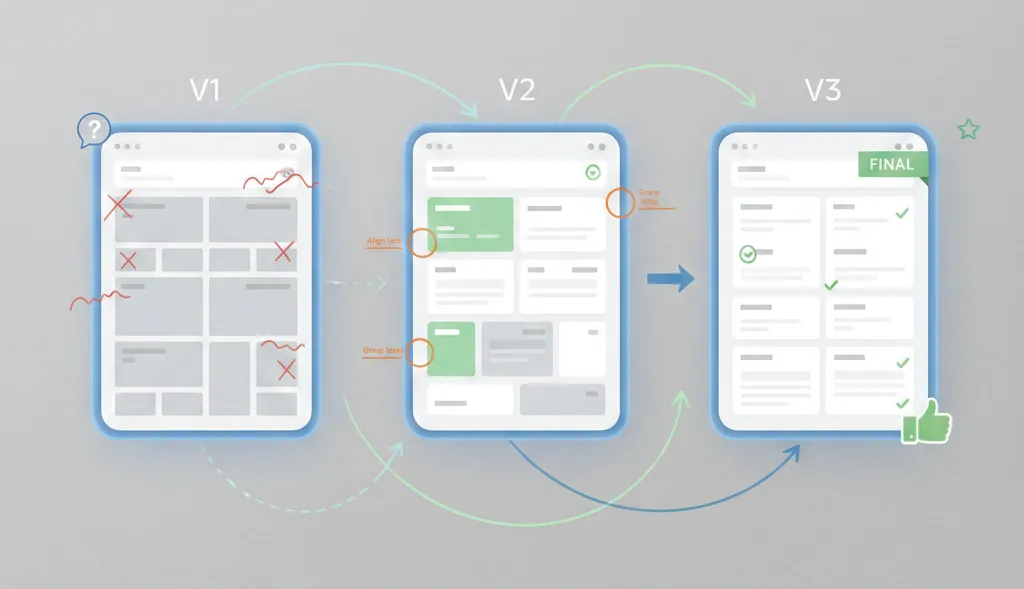
Interactive prototypes allow stakeholders to experience layout flow, navigation, and content hierarchy without touching production code. This makes feedback more concrete and actionable.
Prototypes also help identify technical challenges early. For example, a visually simple animation might require complex logic once implemented. Discovering this during prototyping allows time to adjust expectations or find simpler alternatives.
Tools like Sketch, InVision, and Marvel are commonly used for this stage. They support quick iteration and collaboration, making them ideal for validating ideas before committing to a build.
Ultimately, prototyping creates a feedback loop that saves time, resources, and frustration while improving the final outcome.
4. Build Out Each Module Carefully
Once development begins, each module should be treated as a production-ready component, not a temporary placeholder. This mindset dramatically improves theme quality.
Every module must work consistently across devices and browsers. Responsive behavior should be intentional, not an afterthought. Accessibility considerations such as keyboard navigation and readable contrast should be baked in from the start. Shopify also highlights these principles in its resource on developing scalable and sustainable Shopify themes, which emphasizes building components that remain reliable as stores grow.
Performance is equally important. Modules should be tested using tools like Webpagetest.org, Google PageSpeed Insights, and YSlow to identify bottlenecks. Even small inefficiencies can add up when multiple modules load on a single page.
Optimization techniques include moving non-critical JavaScript to the footer, compressing images, and using responsive image attributes like srcset. These adjustments improve load times without compromising design intent.
A well-built module is cohesive, readable, and ready for reuse elsewhere in the theme.
5. Hold a Design Review and Bug Hunt
Before launch, a structured design review is essential. This step ensures that the theme meets functional, visual, and performance expectations.
A small group of users who were not involved in development can uncover the majority of issues. Research shows that five users are often enough to identify most usability problems. Fresh eyes notice things that builders naturally overlook.
Encouraging detailed feedback can be done through incentives, but this approach should be used carefully. The more polished the theme is before review, the more valuable the feedback becomes.
Design reviews also help validate whether the original goals were met and whether the theme feels intuitive for real users, not just developers.

Best Practices to Keep Liquid, JavaScript, and CSS Tidy
Clean code is what separates a short-lived theme from a long-term asset. This section focuses on practical techniques to keep the codebase manageable.
1. Use Snippets for Large or Complex Liquid Logic
When Liquid files become long and difficult to read, it is time to extract reusable logic into snippets. Snippets act as modular building blocks that simplify templates and reduce duplication.
Common examples include social sharing buttons, pagination, review components, and related product sections. Instead of repeating complex logic across templates, a snippet can be included wherever needed.
This approach improves readability and makes future updates far less risky, since changes are made in one place.
2. Avoid Excessive Nested Snippets
While snippets are powerful, overusing them can create new problems. Deep nesting makes it hard to trace where output is coming from and increases cognitive load during debugging.
A practical guideline is to limit snippet nesting to two levels. Beyond that, the structure becomes difficult to reason about, especially for new developers joining the project.
Clear boundaries between snippets help maintain balance between modularity and clarity.
3. Comment Your Code Thoughtfully
Comments are a gift to your future self. When implementing complex logic or unusual workarounds, leaving an explanation saves hours of rediscovery later.
Using Liquid comments allows developers to describe intent, edge cases, and dependencies without affecting output. This is especially valuable in collaborative environments where others may inherit the code.
Well-placed comments do not clutter the file; they provide context and confidence.
4. Apply Solid CSS Fundamentals
Most CSS best practices apply directly to Shopify themes. Consistent naming, minimal specificity, and logical grouping all contribute to maintainability.
Shopify supports Sass preprocessing, which allows for features like inheritance using @extend. This can reduce duplication and improve consistency across styles.
Dynamic values from theme settings can also be output into CSS using Liquid, enabling flexible customization without bloating the stylesheet.
5. Extract and Modularize JavaScript
Inline JavaScript quickly becomes unmanageable. Extracting scripts into separate files within the assets directory allows browsers to cache them efficiently.
Each script should serve a clear purpose and avoid unnecessary dependencies on other scripts. Writing defensive, modular JavaScript ensures that features fail gracefully rather than breaking the entire theme.
This approach also makes it easier to replace or remove functionality as requirements evolve.
6. Remove Low-Value Components
Performance is not just about optimization, it is also about restraint. Features that consume significant bandwidth or add complexity without clear value should be removed.
A common example is the JavaScript carousel. While visually appealing, carousels often hurt usability and slow down pages. Replacing them with static imagery or simpler layouts can dramatically improve performance and user experience.
Regularly auditing and removing unnecessary components keeps the theme lean and focused.
Closing Notes on Shopify Theme Development Best Practices
Shopify theme development best practices are ultimately about discipline and foresight. Every project has unique constraints, but a well-defined workflow makes it possible to deliver high-quality themes without sacrificing maintainability. By structuring the design process, validating ideas through prototyping, and keeping Liquid, JavaScript, and CSS clean, teams can build themes that scale with growing businesses.
The most successful themes are not just visually refined; they are thoughtfully engineered systems. When best practices guide decisions from planning to launch, the result is a resilient foundation that supports long-term growth, smoother collaboration, and confident iteration well into the future.