

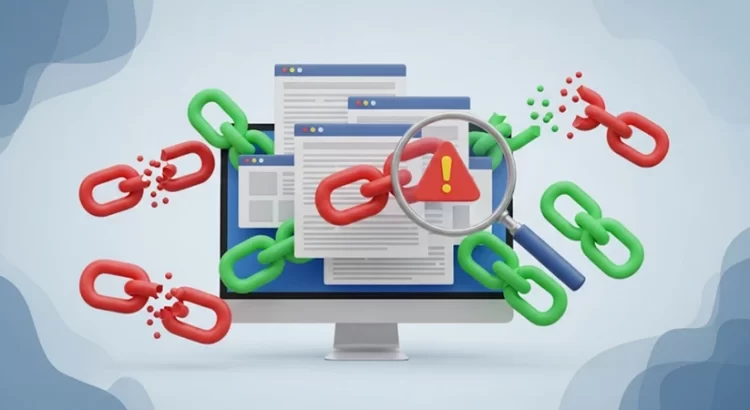
Backlinks remain one of the strongest signals search engines use to determine a website’s authority and relevance. When these links come from trustworthy and relevant websites, they can significantly improve your rankings. However, not all backlinks are beneficial. Some can actually harm your site, causing sudden drops in visibility and potential penalties.
If you’ve already gone through our SEO Troubleshooting Guide: Diagnosing & Fixing Common Ranking Issues, you know that technical errors, content gaps, and on-page issues can all impact performance. But one of the less obvious culprits is the quality of your backlink profile. Toxic or spammy links can drag your rankings down, even if your site is technically sound and has strong content.
This guide explores how to diagnose toxic backlinks, safely disavow them when necessary, and maintain a clean, authoritative link profile that supports long-term SEO growth.
Understanding Toxic Backlinks
Not every link pointing to your website helps build authority. Toxicbacklinks are links that come from untrustworthy, irrelevant, or manipulative sources. They often signal to search engines that a site is trying to game the system, which can trigger ranking losses or even manual penalties.
Some common sources of harmful backlinks include:
- Link farms: networks of sites created solely for exchanging or selling links.
- Paid link schemes: purchased backlinks that violate Google’s guidelines.
- Irrelevant directories: low-quality listings with little editorial control.
- Hacked or compromised sites: links coming from malicious or unsafe domains.
The risks of allowing these links to remain unchecked are serious. You could face:
- Ranking drops as algorithms devalue manipulative links.
- Manual actions from Google requiring link cleanup.
- Reduced domain authority if your link profile appears unnatural.
How to Diagnose a Toxic Link Profile
A toxic backlink problem rarely appears out of nowhere. There are usually warning signs that suggest your site is being held back by harmful links. Knowing how to spot these signals and confirm them with the right tools is the first step toward cleaning up your link profile.
Signs You May Have Bad Backlinks
- Sudden ranking drops: If your pages fall drastically in search results without a major algorithm update or technical issue, poor-quality backlinks could be the culprit.
- Unnatural link notifications: Google Search Console sometimes sends alerts if it detects suspicious or manipulative backlinks pointing to your site.
- Suspicious referral traffic: An unusual spike in visitors from unrelated or spam-heavy sites may indicate you’ve been targeted with low-value links.
These are common red flags, but interpreting them correctly often requires expertise. Skilled Indian SEO professionals can quickly identify whether harmful backlinks are at the root of your ranking issues and guide you on the best way forward.
Tools and Methods for Backlink Analysis
To confirm suspicions, you need data. The following tools help uncover toxic backlinks and measure their potential impact:
- Google Search Console: Provides an official list of websites linking to you directly from Google.
- Ahrefs: Offers detailed backlink profiles, anchor text distribution, and toxicity scores.
- SEMrush: Includes a backlink audit tool that flags potentially harmful links and groups them by risk level.
- Moz Link Explorer: Useful for checking domain authority and spam scores of linking domains.
- Majestic: Provides Trust Flow and Citation Flow metrics to evaluate whether backlinks come from reputable or questionable sources.
Using more than one tool gives you a broader perspective, since each uses slightly different data sources and evaluation metrics.
Key Red Flags to Look For
When reviewing your backlink data, certain patterns almost always signal trouble:
- Irrelevant anchor text: Links with anchor text unrelated to your industry or stuffed with keywords can look manipulative.
- High volume from low-quality sites: Hundreds of backlinks from domains with little traffic or authority usually point to automated link schemes.
- Foreign language spam sites: Backlinks from sites in languages unrelated to your audience often appear unnatural.
- Over-optimized anchor distribution: If too many backlinks use the exact same keyword-rich anchor, it can look suspicious to search engines.
By combining these signs, tools, and red flags, you can build a clear picture of whether your backlink profile is healthy or in need of cleanup.
Step-by-Step: Identifying Spammy Backlinks
A structured approach makes backlink diagnosis more reliable:
- Export backlink data from Google Search Console. Navigate to the “Links” report and download your full list.
- Filter for red flags by sorting domains based on authority, relevance, and anchor text. Remove obvious high-quality links from consideration so you can focus on suspicious sources.
- Check link quality manually. Look at the linking site’s content, traffic, and reputation. A clean, relevant site is likely safe. A thin-content, ad-heavy, or irrelevant site should raise alarms.
This process helps separate healthy backlinks from those that need removal or disavowal.
Cleaning Up Your Link Profile
Before jumping to Google’s disavow tool, always try direct removal. Google recommends showing genuine effort to clean links manually.
- Contact site owners of suspicious domains and politely request removal.
- Provide context in your outreach, explaining that the link may harm your SEO and you’d appreciate their assistance.
- Track your efforts in a spreadsheet to note which links have been removed and which remain. This documentation can be useful if you ever need to file a reconsideration request.
Using Google’s Disavow Tool Safely
If removal efforts fail, the disavow tool is your next option. This tool tells Google to ignore specific backlinks when evaluating your site.
- When to use it: Only when you are confident that links are spammy, harmful, and cannot be removed manually.
- File formatting: Create a plain text (.txt) file listing domains or specific URLs you want disavowed. Use “domain:” before a domain to block all links from it. Example:
- domain:spammyexample.com
- http://badsite.com/badlink.html
- Submission process:
- Go to Google Search Console.
- Select your property.
- Navigate to the disavow tool page.
- Upload your .txt file and submit.
Important warning: Misusing this tool can damage rankings. If you mistakenly disavow legitimate links, you may lose valuable authority. Always double-check before submission.
Building a Stronger Link Profile
Cleaning up is only half the equation. You also need proactive steps to maintain a healthy link ecosystem.
- Prioritize quality over quantity. A few authoritative, relevant backlinks are more valuable than hundreds of low-quality ones.
- Maintain anchor text diversity. Use a natural mix of branded, generic, and contextual anchors.
- Conduct quarterly backlink audits. Regular monitoring helps catch problems before they escalate.
- Avoid risky practices. Stay clear of link exchanges, paid links, or automated directory submissions.
- Proactive strategies: Invest in guest posts on respected industry sites, digital PR campaigns, and creating content that naturally earns citations.
If you’d like to learn more about broader ranking problems beyond backlinks, explore our guide on troubleshooting common SEO issues for a full picture of what may be impacting performance.
Wondering how you can stay updated on the latest insights and practical tips to strengthen your online presence? You can see our full list of articles that cover a wide range of topics to help you grow. For more in-depth guides, check out our collection of resources designed to give you actionable knowledge and support.
Protecting Your SEO With Clean Links
Toxic backlinks can quietly undermine years of SEO work. By diagnosing harmful links, attempting removal, and disavowing only when necessary, you can safeguard your rankings. A healthy link profile not only protects your site from penalties but also builds lasting authority and trust with search engines.
Strengthening Your Link Health for the Future
FreelanceWebDesigner.biz helps businesses identify harmful backlinks, clean up their profiles, and build stronger link foundations for long-term growth. From detailed audits to expert disavow file preparation, we ensure your website’s authority stays protected. Contact us for a professional backlink cleanup and keep your SEO performance on track.